Own project · Automation
Automating Our Own Sales, Content and Billing
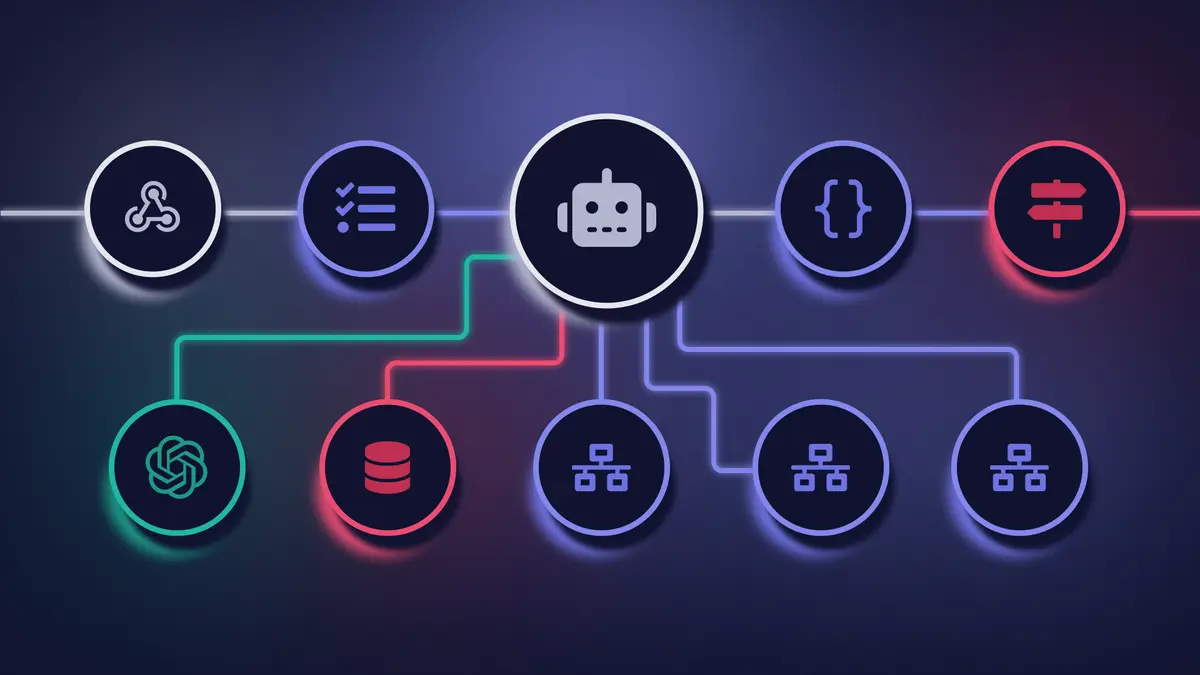
If your team spends hours every week retyping quotes, invoices and orders from one system into another, you're not short of staff. You're missing a workflow. Our AI workflow automation on n8n connects your ERP, CRM, email and documents, and adds AI only where it saves time, such as reading incoming invoices. Before launch we test every workflow on your real documents, a person approves the risky steps, and every run has a cost limit. It is GDPR-compliant, and the same team can build your website or business software too. We start with the process that costs your team the most hours.
Request a process auditWe connect the tools you already use (CRM, ERP, email, WhatsApp) so leads get an instant reply and data stops moving between systems by hand.
The calculator gives you a ballpark in about a minute. The final price follows once we have seen your scope.
AI you stay in control of
Before launch we test on your real examples, a person approves the risky steps, and every run has a cost limit.
Product and automation from one team
The same team builds your website or software and the automation that connects to it, so responsibility never falls between two vendors.
Built around your business goal
We start with the process that costs your team the most hours, and build the next one only once the first is running.
Your code, your accounts
Workflows run on our EU-hosted n8n or on your own infrastructure, and the accounts are yours.

We reply as soon as we can, usually within a few days, and tell you what we would change first.
Request an auditWhat we shipped, what broke and what we would do differently. No news roundups.
Business process automation is the use of software workflows to handle repetitive operational tasks for your team: data entry, invoice processing, appointment scheduling and lead routing. McKinsey estimates that 60% of all occupations have at least 30% of activities that can be automated with existing technology.
We build automation workflows using n8n, TypeScript, and direct API integrations that connect your existing applications into automated pipelines. When a form is submitted, an order is placed, or a payment is received, the downstream actions (CRM update, invoice generation, notifications) happen automatically, straight away.
Where does AI fit? Classic automation works with data that always looks the same, like the fields of a form. AI helps where the data is messy: a supplier's PDF invoice, a customer email, a contract. AI pulls out what matters, and the workflow writes it into your systems. You don't need an AI team or model expertise for this. That part is our job.
Automation does not replace your team. It eliminates the low-value tasks that prevent your team from focusing on work that requires human judgment, creativity, and relationship-building.
The return is measurable: fewer errors, faster response times, and staff capacity redirected to revenue-generating activities.
As an n8n agency, we set up n8n for you, build the workflows and keep the instance running afterwards, on our servers in the EU or on your own infrastructure.
If you are still weighing n8n against Make and Zapier, the comparison further down this page helps.
Companies in Switzerland fall under the Swiss Federal Act on Data Protection (FADP). If your company also offers services to people in the EU, the GDPR can apply as well (Art. 3(2) GDPR).
That is why we agree before the build where workflows and data run: on your own infrastructure in Switzerland or on our servers in the EU. We put this in writing before the project starts. We work in writing, in English or German, from the first inquiry. The legally binding assessment of your case belongs with your legal counsel.
AI reads incoming messages and documents, extracts the data and prepares a draft: a quote from an enquiry and your price list, a posting from a supplier invoice, a CRM or ERP record from an email or form. Your tools stay the same, and a person approves every draft before it is sent or posted.
Quotes: an enquiry arrives by email or form. The workflow identifies the customer, products or services and quantities, pulls prices from your price list or ERP and builds a draft quote in the template you already use. A salesperson reviews it, corrects it if needed and sends it.
Supplier invoices: where invoices arrive as structured e-invoices, they don't need to be read from a PDF at all; the workflow takes them from your e-invoicing provider and prepares them for posting. In Croatia, for example, VAT-registered businesses have exchanged structured e-invoices through an intermediary since 1 January 2026 (Croatian Tax Administration). AI stays useful for everything else: PDFs from foreign suppliers, delivery notes, contracts and scanned documents.
Data entry: data from emails, forms and documents goes into the right CRM or ERP fields, with checks for duplicates and required values. Anything the workflow can't recognise with confidence goes to a person for review, not into the system.
We test every AI step on your real documents before launch, and every workflow logs what it did. We run the same pattern in our own operations: maintenance invoices and payment reminders go out automatically, with an approval step before anything is sent.
Automate a process that repeats often, follows clear rules, uses data that is already digital, and costs money when it goes wrong or runs late. Multiply runs per month by the time each run takes and compare that with the cost to build and maintain it. A process done twice a month rarely passes that test.
Ask five questions of every candidate:
We rank the candidates against those questions and start with one workflow. Once it runs, we measure executions and success rate, so the decision on the next workflow is made on numbers from your own operation, not on an estimate.
The kind that works between the tools you already have. A workflow connected to your email, CRM, ERP, accounting software or spreadsheets takes over the retyping, sorting and reminders, while your team keeps working in the same apps. We usually start with email triage, extracting document data into the ERP, and payment reminders.
The automation connects to your tools through their APIs, and where there is no API, through exports, scheduled imports or an email inbox. Where people work doesn't change; only who does the retyping does.
We build the workflows on n8n, an automation platform that runs on our servers or on your infrastructure. The automation is yours after handover, so another team can take it over.
Communication automation is the practice of connecting customer-facing messaging platforms (WhatsApp, Viber, Facebook Messenger, Instagram, email) directly to your internal business systems so that inquiries, confirmations, and follow-ups happen without manual intervention. According to the MIT and InsideSales lead response study, businesses that respond to leads within 5 minutes are 21 times more likely to qualify them than those responding after 30 minutes.
We build automated communication flows that eliminate response delays:
Every flow includes fallback logic for failed deliveries, opt-out compliance for GDPR, and real-time monitoring so your team sees exactly which messages were sent, opened, and acted on.
Automated scheduling is a workflow that checks staff availability, books appointments, sends calendar invitations with video call links, and dispatches reminders, eliminating the back-and-forth coordination that consumes hours of administrative time weekly. Automated reminders reduce no-shows compared to manual booking processes.
We implement scheduling automation using n8n workflows connected to Google Calendar, Microsoft Outlook, or custom booking systems. The flow handles timezone conversion for international clients, buffer time between appointments, and automatic rescheduling of cancelled slots.
SMS and email reminders are sent 24 hours and 1 hour before the appointment. If the client does not confirm, the slot is released and offered to the waitlist automatically.
For service businesses, the impact shows quickly: staff stop chasing confirmations, cancelled slots are offered to the waitlist, and each appointment takes far less admin time.
Automation pays back fastest on high-frequency, rule-based tasks where manual work introduces delays and errors. These are the three workflows we most often start with.
Invoice and Document Intake: A supplier invoice arrives by email: AI reads the supplier, amounts and line items, and the workflow prepares them for booking in your ERP or accounting system. Incoming payments are matched against open invoices, and overdue invoices trigger reminders. When the AI is not sure, the document goes to a person for review instead of being booked blind.
Sales Funnel Automation: A web inquiry triggers a quote based on your pricing rules, sends the proposal by email, creates a deal in the CRM with stage and value assigned, and schedules a follow-up reminder for the sales team if no response arrives within 48 hours. The inquiry gets an answer right away, not whenever someone reaches the inbox.
Inquiry and Support Ticket Routing: AI reads incoming messages, scores urgency, and routes them to the right department with a priority flag. Urgent cases reach the right person within seconds instead of waiting in a shared inbox.
Three workflows we build often, with what they cost to start. Each one is built around your tools and tested on your real cases before it goes live. The final price follows your scope.
Invoice intake, from €3,500: Invoices arriving by email or as PDFs are read automatically: supplier, amounts, VAT and due date are extracted, checked for duplicates and prepared as a draft entry in your accounting or ERP system. A person approves every entry before it is booked.
Inbox triage, from €2,500: Messages to a shared inbox are sorted by type and urgency and routed to the right person or tool. For routine questions, a reply is drafted from your own documents. A person approves every reply before it goes out.
Payment reminders, from €2,500: Due dates are checked every day. Overdue invoices get reminders in agreed steps, everything is logged, and disputes are flagged. Anything past the last step goes to a person.
After launch, an optional monthly run & improve plan covers monitoring, fixes and model updates.
Business process automation is right for any company where staff regularly perform repetitive tasks that follow consistent rules: moving data between systems, generating documents from templates, sending notifications on a trigger, or compiling reports from several sources. A good sign is a task that takes hours every week and follows the same steps every time.
The businesses that benefit most:
Automation is not an all-or-nothing decision. We start with the single highest-impact workflow, measure the time savings, and expand only once the savings are proven. The next workflows build on the same foundations, so they are faster to deliver.
Starting a business automation initiative requires identifying the right workflow first: the one with the highest frequency, clearest rules, and most measurable time savings. We work in four stages, from analysis to a workflow running live.
Step 1. Process Audit: We map your current workflows, identify the top five automation candidates, and estimate time savings and error reduction for each. The audit output is a prioritised roadmap ranked by ROI.
Step 2. Architecture and Build: We build the highest-priority workflow using n8n or custom API integrations, connecting your existing tools without requiring any platform changes. Error handling, retry logic, and notification alerts are included.
Step 3. Testing and Launch: The workflow runs in parallel with your manual process for validation. Once confirmed accurate, it goes live and the manual process is retired.
Step 4. Monitoring and Expansion: We set up dashboards showing execution counts, success rates, and time saved. Your team sees the ROI in real numbers, and we move to the next workflow in the queue.
Every workflow's complexity is different, so we confirm the timeline and the fixed price after the process audit, not as a guess upfront. No minimum contract. You pay a fixed price for the build and the automation is yours. We run n8n on our servers in the EU or install it on your infrastructure.
An automation is only finished when it keeps running in day-to-day work. After launch, we can look after your workflows on a monthly plan: we monitor every run, check the AI steps against real cases, fix errors, keep an eye on the cost per workflow, and apply n8n security updates promptly. When a provider changes its model or API, we adapt the workflow without stopping your process. New workflows are separate projects with their own fixed price, so the monthly plan stays predictable.
Before launch, we test every AI step against examples from your real work, such as your invoices or inquiries. Where a step carries risk, a person makes the call before anything goes out. Every workflow has cost limits and logs what it does, so errors show up before they reach your customers. And we never tie the logic to a single AI provider, so a model change does not take your system down.
The reliability of your automation depends entirely on the technology behind it. We select tools based on your data sovereignty requirements, integration complexity, and long-term maintenance needs, not based on vendor partnerships or what is easiest to demonstrate in a sales call.
n8n, the Primary Engine for Most Projects: We use n8n as a self-hosted automation platform for the majority of our builds. Unlike Zapier or Make, n8n runs on your own infrastructure or on our servers in the EU, so your business data never passes through automation platforms outside the EU. This is critical for GDPR compliance and enterprise security policies. It supports 400+ native integrations and allows custom JavaScript/Python code nodes for complex logic that no-code tools cannot handle.
Make, for Simpler Flows: For straightforward needs (weekly reports, form-to-CRM connections, email sequences), Make offers a cost-effective solution with fast setup time and a visual interface your team can maintain independently.
Custom Webhooks and Direct API Integrations: When no off-the-shelf connector exists, we build direct API integrations in Node.js and TypeScript. This is common for legacy ERP systems, government portals (FINA, tax authorities), and proprietary industry software.
AI-Enhanced Flows: We embed LLM nodes (OpenAI, Anthropic Claude) directly into automation workflows. An invoice arrives by email: AI extracts line items, the ERP is updated, and the payment is queued for approval. No more retyping, and a person only checks what the AI is not sure about.
All automations include error handling, retry logic, monitoring dashboards, and written documentation so your team can understand and maintain them independently.
Custom automation, Zapier, and Make each serve different automation needs. Custom n8n-based automation delivers the highest data privacy, unlimited logic customisation, and the lowest cost at scale. Zapier offers the broadest app directory with simple setup. Make provides advanced visual scenarios at a mid-range price point. The comparison below maps the tradeoffs across the factors that matter most for business-critical workflows.
| Criterion | Custom (Neviox) | Zapier | Make (Integromat) |
|---|---|---|---|
| Cost at high volume (10k+ tasks/mo.) | Stable, predictable | Scales per task | Scales per operation |
| Logic customisation | Unlimited | Basic conditional logic | Advanced scenarios |
| Execution speed | Milliseconds | 1–15 min (polling) | 1–15 min (polling) |
| Data privacy | Your infrastructure | Zapier servers (US) | Make servers (EU) |
| Internal system integration | Direct | API adaptors | API adaptors |
| Error handling | Custom logic | Basic | Advanced |
| Offline / on-premise | Yes | No | No |
| Long-term cost of ownership | Lower | High at scale | Medium |
Real reviews from Clutch and Google, not written for this page.
5.0
Google reviews: 29
“Thanks to Neviox Digital's work, Poliklinika Meter achieved a significantly improved digital presence, faster page loads, and a more intuitive user experience on their website. The team delivers reliably, communicates clearly, and responds quickly to needs. Neviox Digital provided expert guidance and tailored solutions throughout the project.”
“Thanks to Neviox Digital's work, the client has seen a 40% increase in their custom search tool usage and a 25% increase in signups. The team delivers on time, communicates clearly, and responds quickly to needs. Neviox Digital has provided expert guidance throughout the engagement.”
“Every aspect of the project was delivered on time and as requested.”
“The website is very well designed, easy to navigate and overall experience feels smooth and professional. What impressed me the most was how simple and fast the whole process was. Highly recommended!”
“Great company, highly recommend”